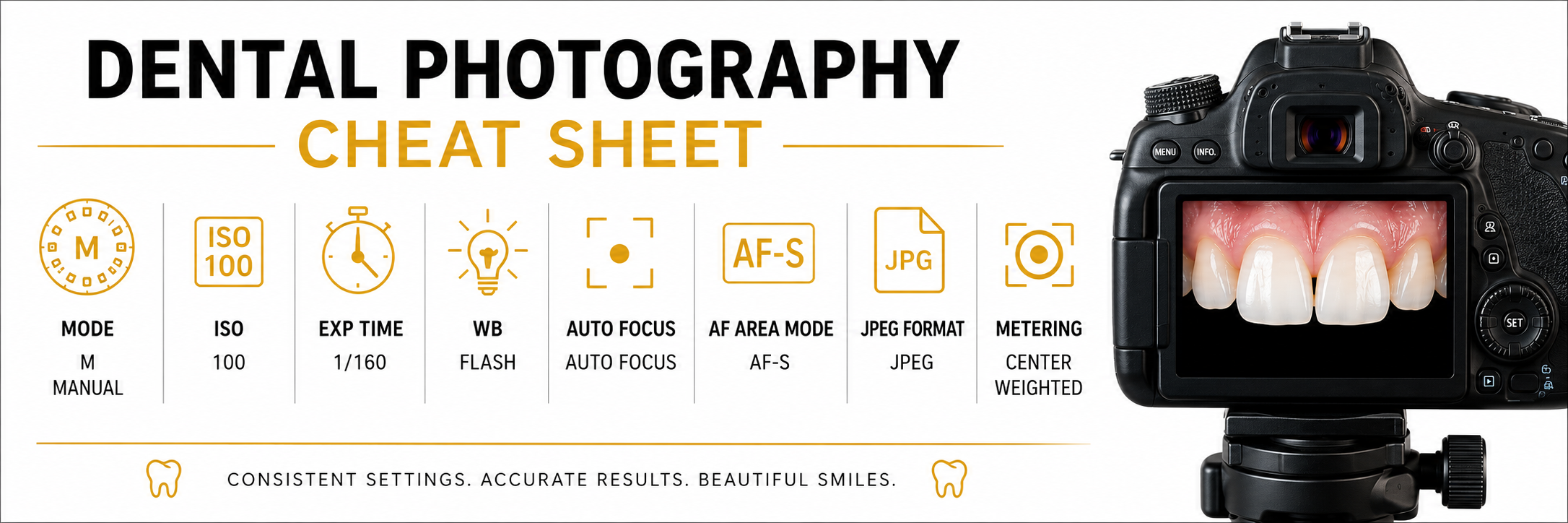
SETTINGS for dental photography
F9 - white background portrait and wide close-up
F16 - white background close-up, white background laboratory photography
F 22 - intraoral photography, black background portrait, black background laboratory photography
F32 - crospolarization photography white & black background
how to set-up camera for dental photography
Here are the basics on how to set-up camera for dental photography no matter of the type of pictures you want to capture. All the settings are the same always, the only thing that changes is Aperture - F number